Implementation Effort
- Requires minimal effort
- Timeline between 2-3 weeks*
* Assuming an agency has an existing, configured AASHTOWare Safety instance and all required data

Our Customer Success team helps agencies turn crash data into actionable insights. The processes below show how they’re making their communities safer.
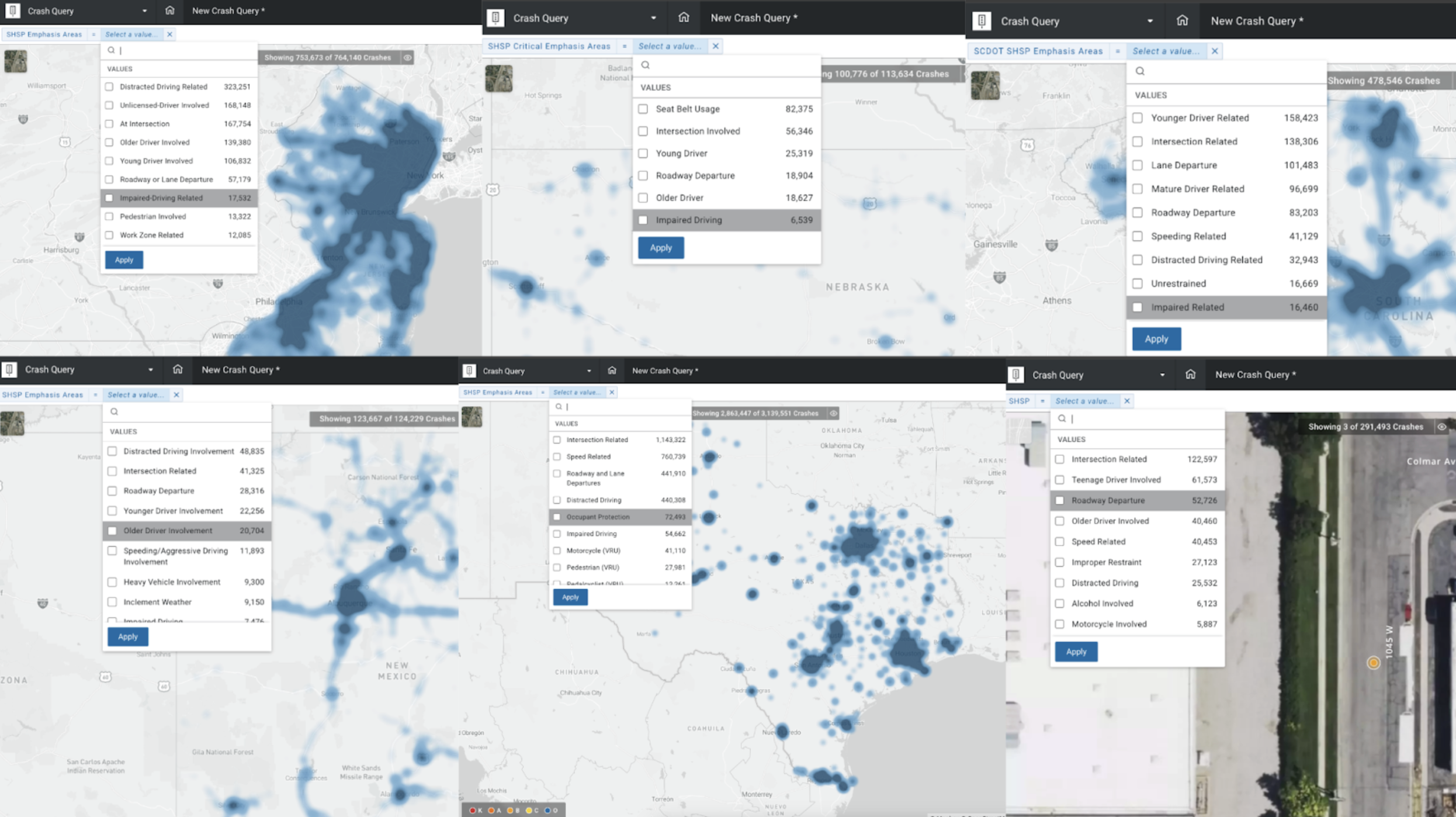
State DOTs are using custom filters in AASHTOWare Safety to track progress toward the emphasis areas outlined in their Strategic Highway Safety Plans.
* Assuming an agency has an existing, configured AASHTOWare Safety instance and all required data


Several state departments of transportation partnered with the AASHTOWare Safety team to build custom filters that allow them to easily track and report on their Strategic Highway Safety Plan (SHSP) emphasis areas. These filters allow users to quickly view and analyze crash data based on the safety focus areas defined in the state’s SHSP.
Highlighting the state SHSP emphasis areas through a filter makes it easier to monitor progress over time, identify emerging trends, and evaluate which emphasis areas are showing improvement or require additional attention. This process enables users to investigate problem areas while maintaining the state’s broader safety goals in mind.
The filter functions across applications, allowing users to maintain an SHSP-focused view throughout their safety analysis. Using the filter also ensures all users are using the same definitions for each focus area in their crash analysis. This establishes a consistent framework for tracking SHSP crash types that can be used statewide.
Users can immediately filter relevant crash records to focus on specific emphasis areas and generate reports that align directly with SHSP tracking needs. It also makes it easier to monitor progress over time. By integrating SHSP priorities into AASHTOWare Safety’s tools, transportation departments can ensure their teams have the necessary context while conducting crash analysis, without relying on separate spreadsheets or manual work.
These agencies use custom emphasis area filters to support SHSP tracking, performance monitoring, and making data-informed decisions.
“An SHSP is developed by the State department of transportation in a cooperative process with Local, State, Federal, Tribal and other public and private sector safety stakeholders. It is a data-driven, multi-year comprehensive plan that establishes statewide goals, objectives, and key emphasis areas and integrates the four E’s of highway safety – engineering, education, enforcement and emergency medical services (EMS). The SHSP allows highway safety programs and partners in the State to work together in an effort to align goals, leverage resources and collectively address the State’s safety challenges.”
FHWA About the State Strategic Highway Safety Plan
Custom filters can also be easily updated if SHSP emphasis areas change, allowing agencies to quickly adapt their analyses and reporting when new priorities are introduced or existing ones are refined. This flexibility ensures that the SHSP remains a living, data-informed framework that evolves in response to changing safety challenges and goals.
The following state departments of transportation have adopted custom SHSP filters in AASHTOWare Safety:
These agencies have developed custom emphasis area filters to streamline SHSP tracking and reporting, ensuring their safety efforts remain focused on the areas with the most significant potential to save lives.