Implementation Effort
- Requires minimal effort
- Timeline between 2-3 weeks*
* Assuming an agency has an existing, configured AASHTOWare Safety instance and all required data

Our Customer Success team helps agencies turn crash data into actionable insights. The processes below show how they’re making their communities safer.
Multiple agencies added the crash narrative field to their AASHTOWare Safety instances, enabling users to view crashes with context.
* Assuming an agency has an existing, configured AASHTOWare Safety instance and all required data


Some AASHTOWare Safety and Numetric customers have incorporated the crash narrative field directly into the tool, providing more crash context for users. The narrative field often captures key crash details that may not have been available in the coded data fields. This functionality is only possible in organizations that have properly redacted any personally identifiable information (PII) from their crash narratives.
Crash Narrative in the Crash Flyout Details
Michigan State Police (MSP), the Georgia Department of Transportation (GDOT), and the Utah Department of Transportation (UDOT) all bring crash narratives into Numetric and AASHTOWare Safety for analysis. In each agency, narratives are accessible directly within the crash flyout. This enables users to quickly review the responding officer’s account of the crash, without leaving the application.
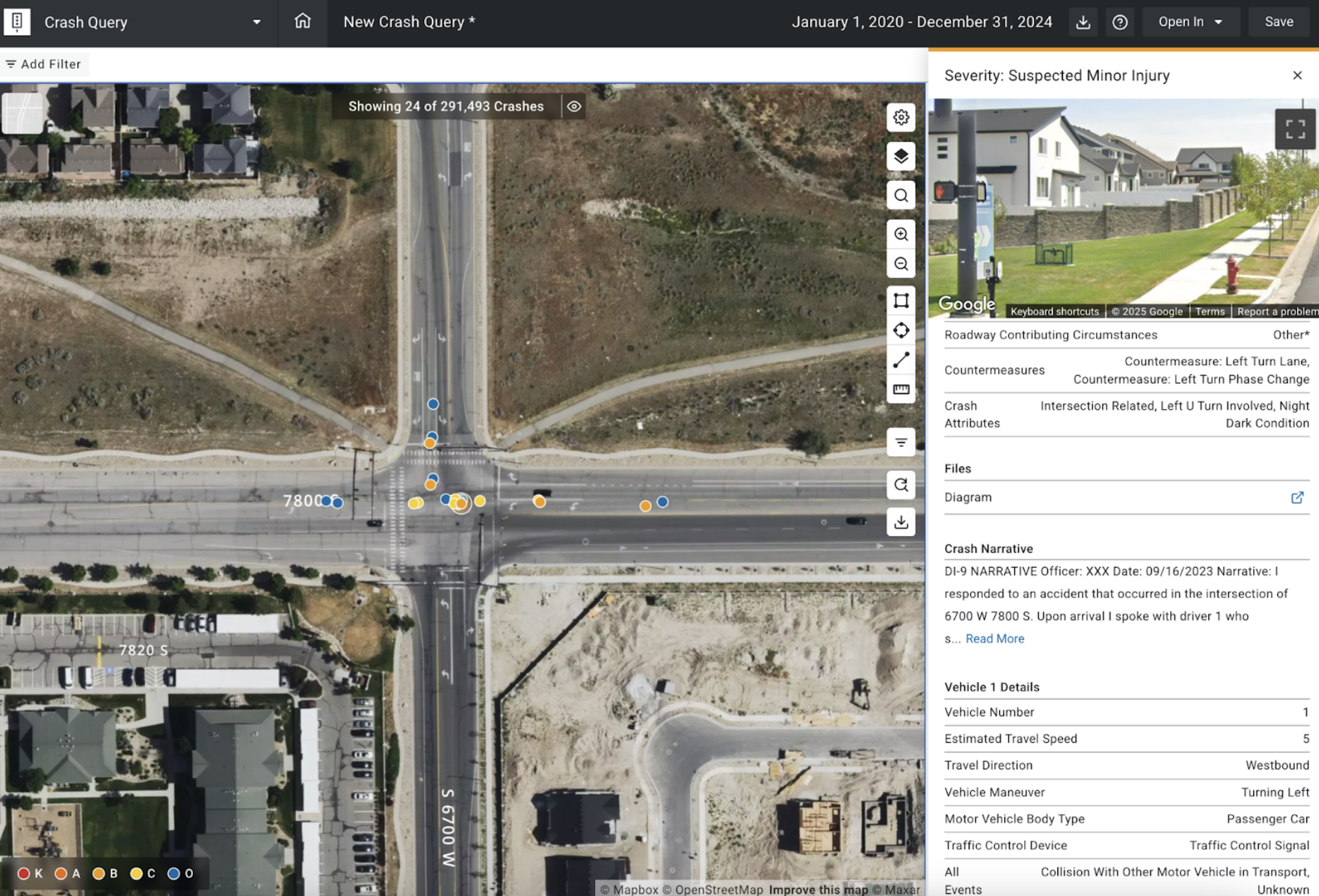
(The crash narrative field in the Crash Flyout details within Crash Query)
In GDOT, UDOT, and MSP crash narratives are accessible directly within the crash flyout.
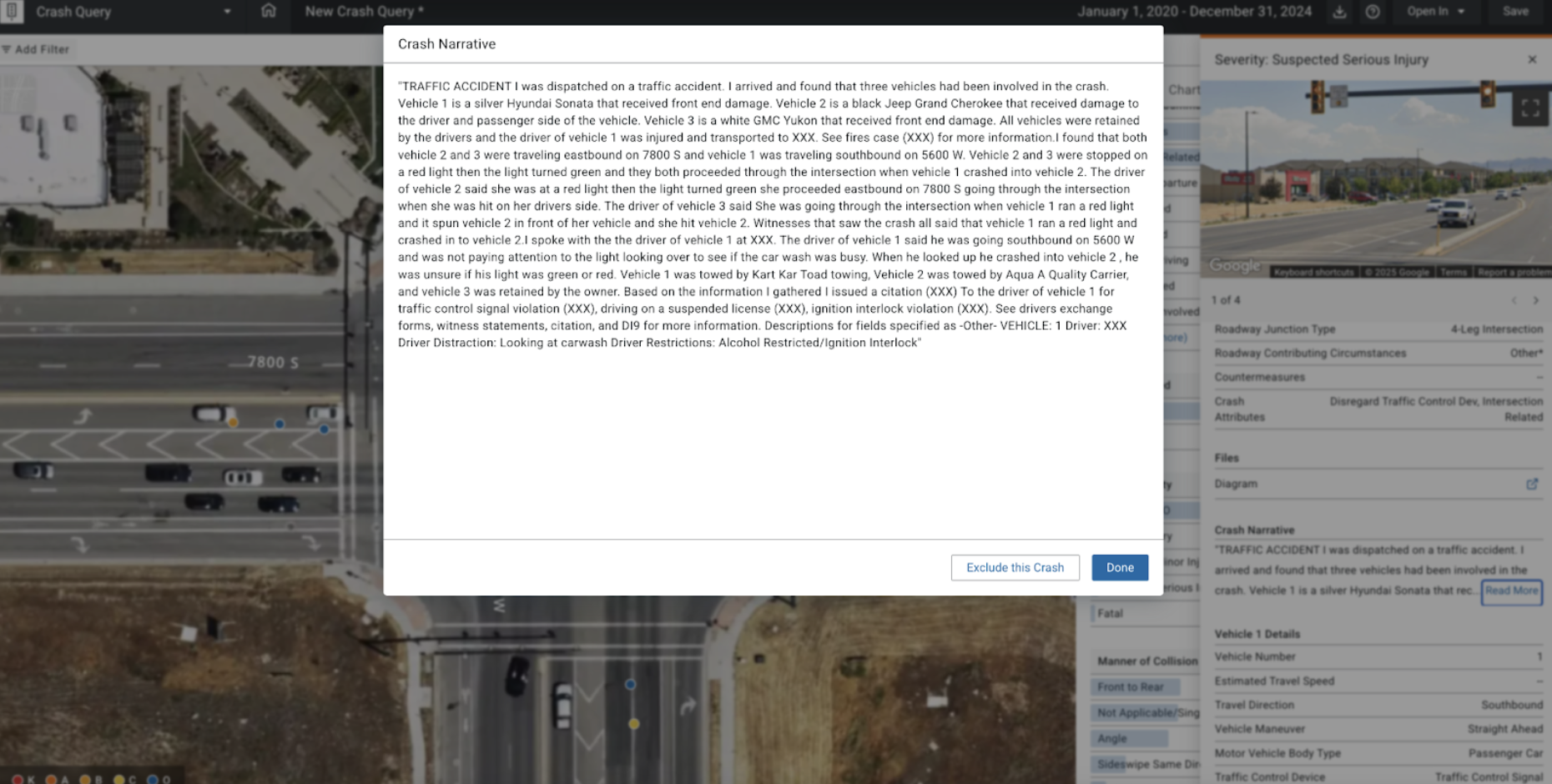
(The crash narrative field expanded from within the Crash Flyout details in Crash Query)
Accessing the crash narrative within the crash flyout enables users to quickly review the responding officer’s account of the crash, without leaving the application.
Filtering the Crash Narrative
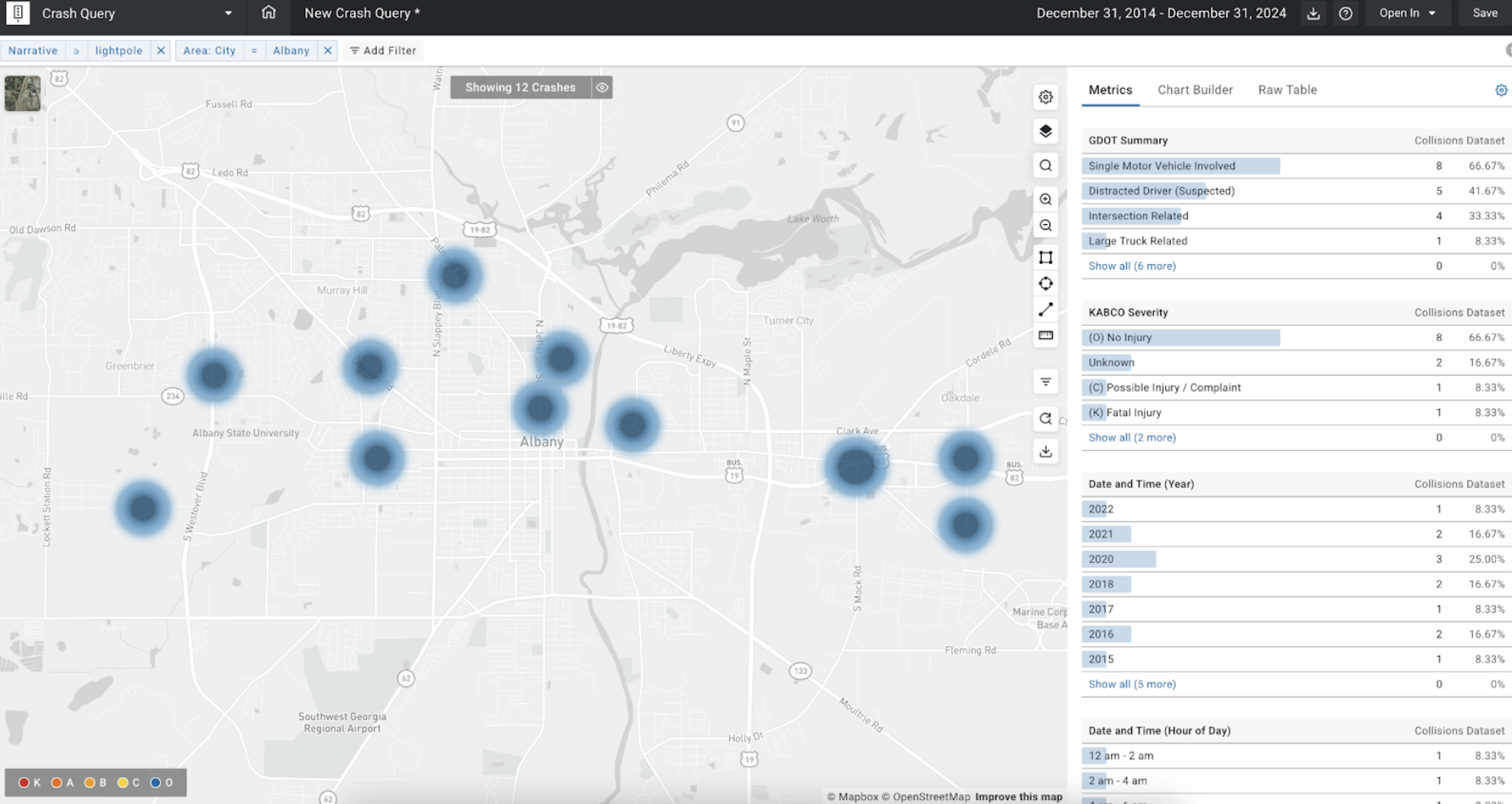
For MSP and GDOT, the crash narrative can also be filtered using keywords. This gives users additional flexibility in their analysis, allowing them to further narrow down the crash population for analysis. This functionality enables users to combine the narrative filter with other crash data filters to gain a more complete picture of crash patterns.
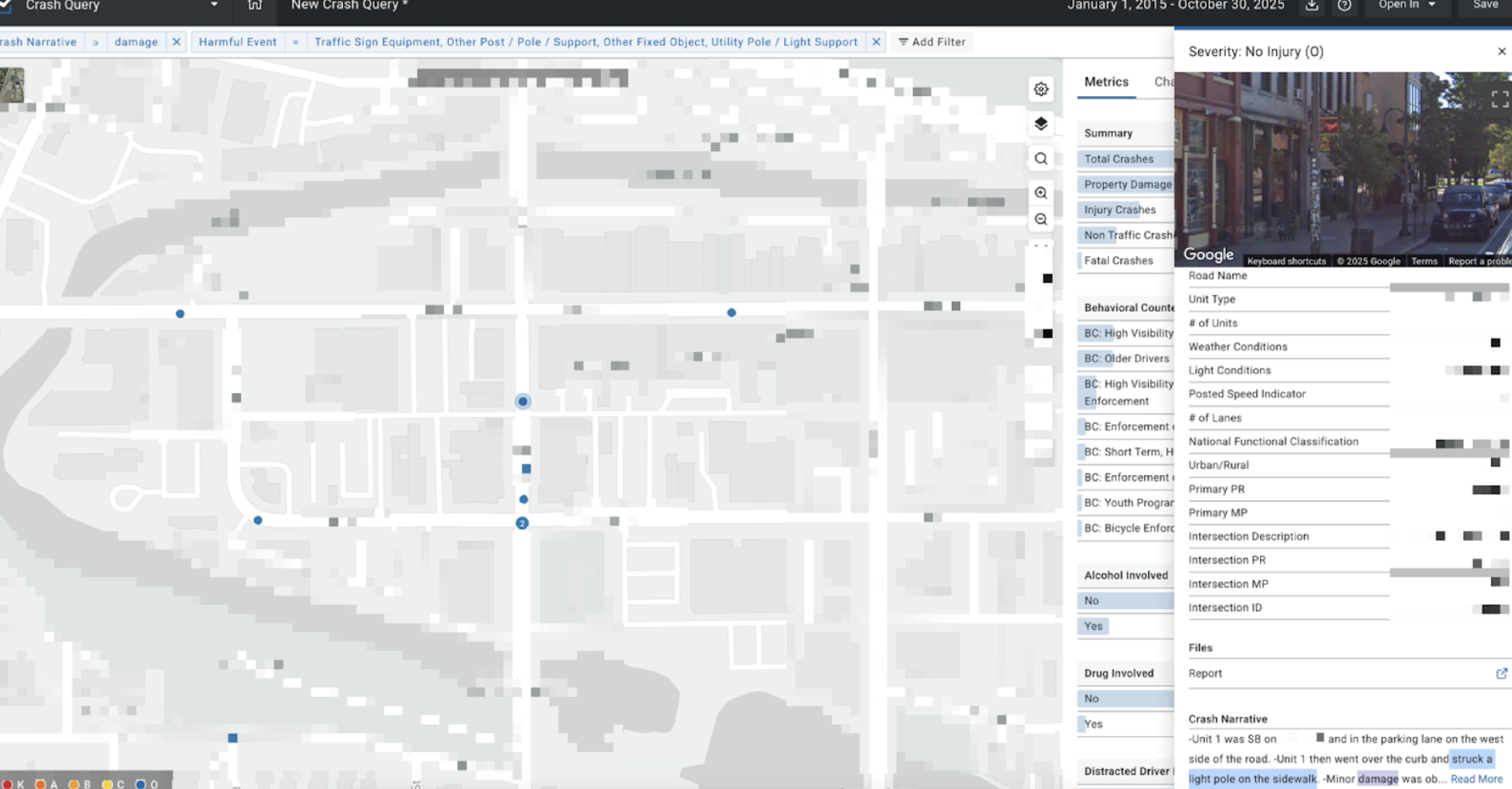
For example, an analyst could apply a “Harmful Event” filter for “traffic sign equipment, pole, other post, utility pole,” and use a narrative filter for the keyword “damage.” This would allow them to track crashes that likely caused damage to roadside equipment.
Additionally, the narrative filter helps identify specific crash types that aren’t represented in the coded data fields. For instance, users could use the narrative filter for the keywords “fleeing” or “evading” to display crashes that may have involved an individual evading officers.
Bringing the crash narrative into the tool makes it easier for safety professionals to get the valuable context to fully understand crash circumstances. These features are intended to support informed decision-making for roadway safety planning.