
Implementation Effort
- Requires minimal effort
- Timeline between 2-3 weeks*
* Assuming an agency has an existing, configured AASHTOWare Safety instance and all required data

Our Customer Success team helps agencies turn crash data into actionable insights. The processes below show how they’re making their communities safer.
This document provides an overview of how various agencies are using AASHTOWare Safety and Numetric to give users more context for crash analysis through linked images.
* Assuming an agency has an existing, configured AASHTOWare Safety instance and all required data


Effective crash analysis requires more than just raw data. To fully understand the circumstances of a crash, analysts need as much context as possible. Having access to the original source material, such as the full police report, crash narrative, or crash diagram, can add clarity that raw numbers alone may not provide.
Multiple agencies are supporting this effort by embedding additional crash information and materials directly within AASHTOWare Safety. This helps users make informed safety decisions and gain a complete picture of each crash they are studying.
Often, these public outreach initiatives involve tracking and reporting on crash counts, or rates for a given period. Using AASHTOWare Safety, agencies can create custom time-period reporting filters to make reporting on, and tracking crash statistics easier.
Including Crash Diagram Images in the Flyout
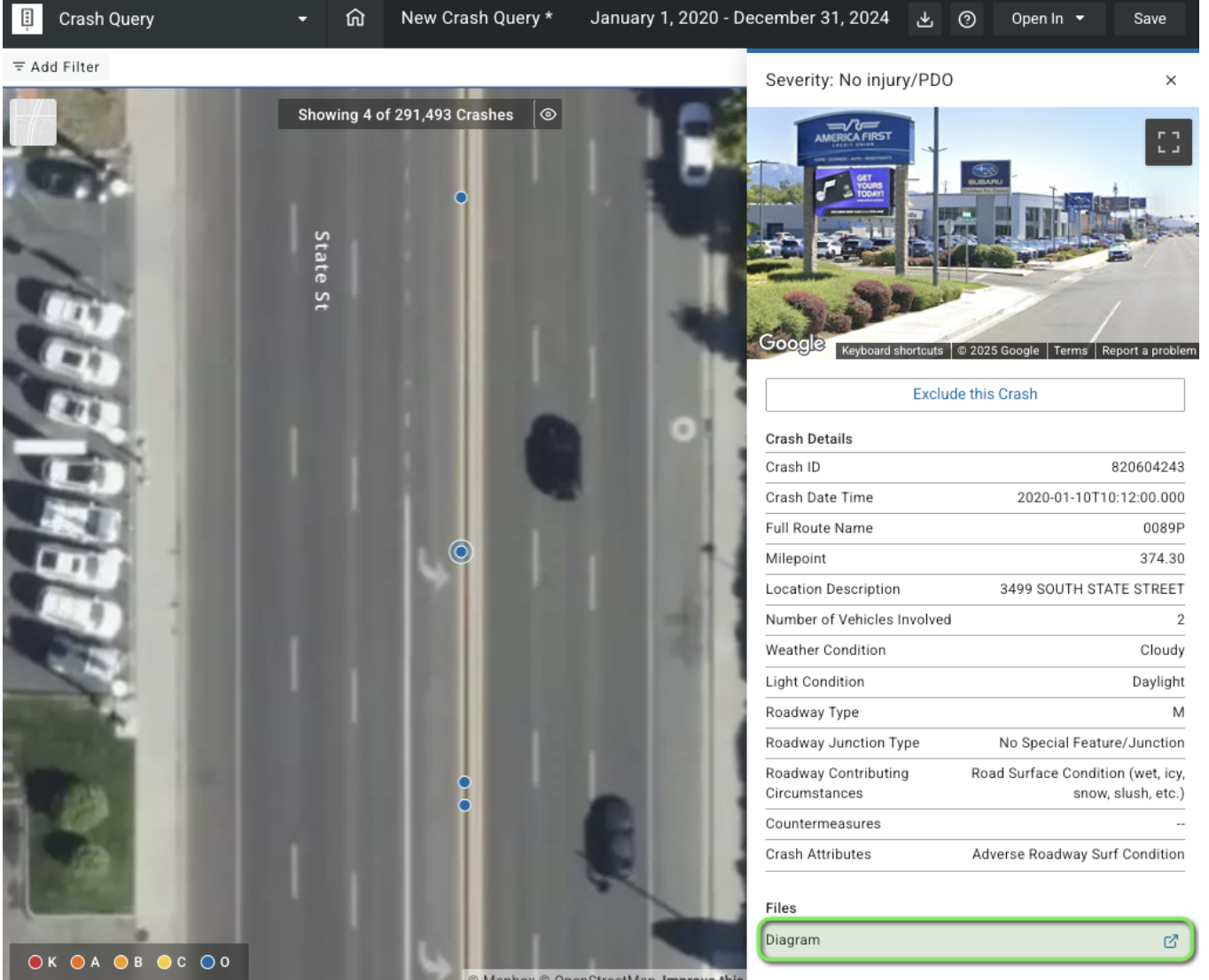
(UDOT Crash Query: The Crash Diagram image link from within the Crash Flyout)
When available, the Utah Department of Transportation (UDOT) links to an image of the crash diagram from the officer’s report.
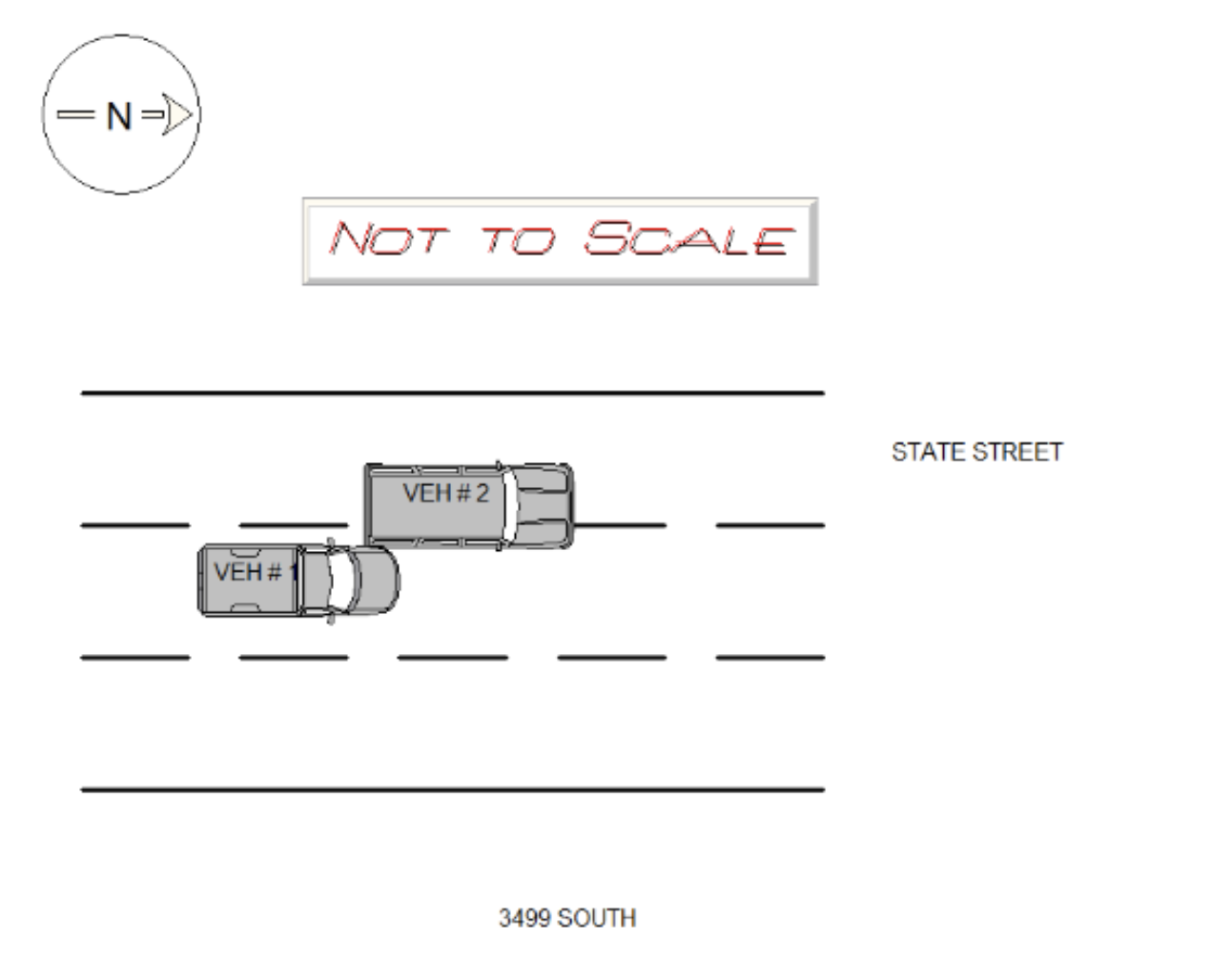
(The crash diagram image opened from the Crash Query Flyout)
Accessing these diagrams directly within the tool ensures users have all the information they need for analysis without disrupting their workflow.
In Michigan State Police’s Crash Query instance, a link to the downloadable PDF of the UD-10 crash report is included in the crash flyout menu. This allows users to view, download, and reference the original crash report during their analysis.
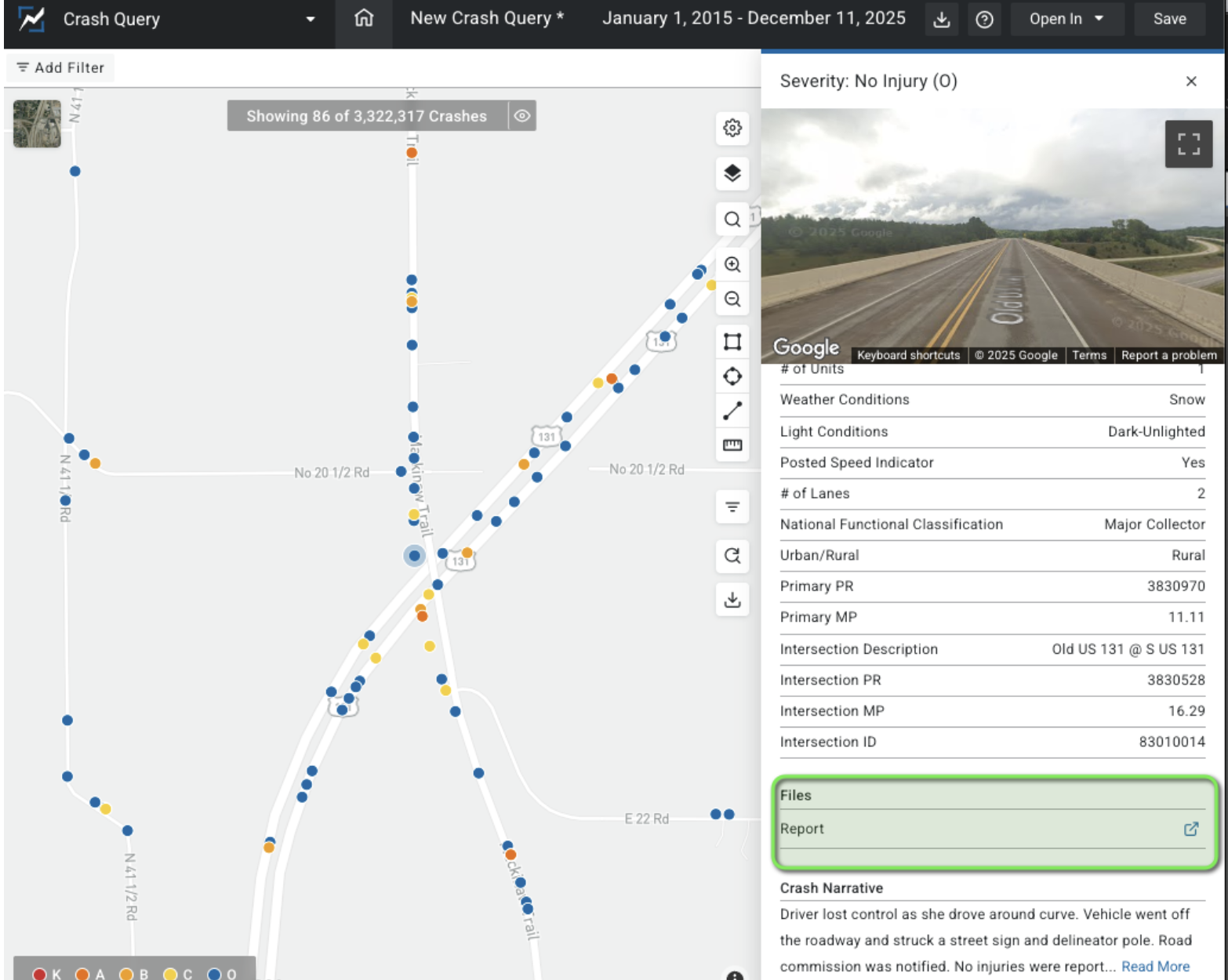
(MSP Crash Query: The UD-10 crash report link in the crash flyout)
When available, MSP links to an image of the UD-10 (the crash report) in the crash flyout.
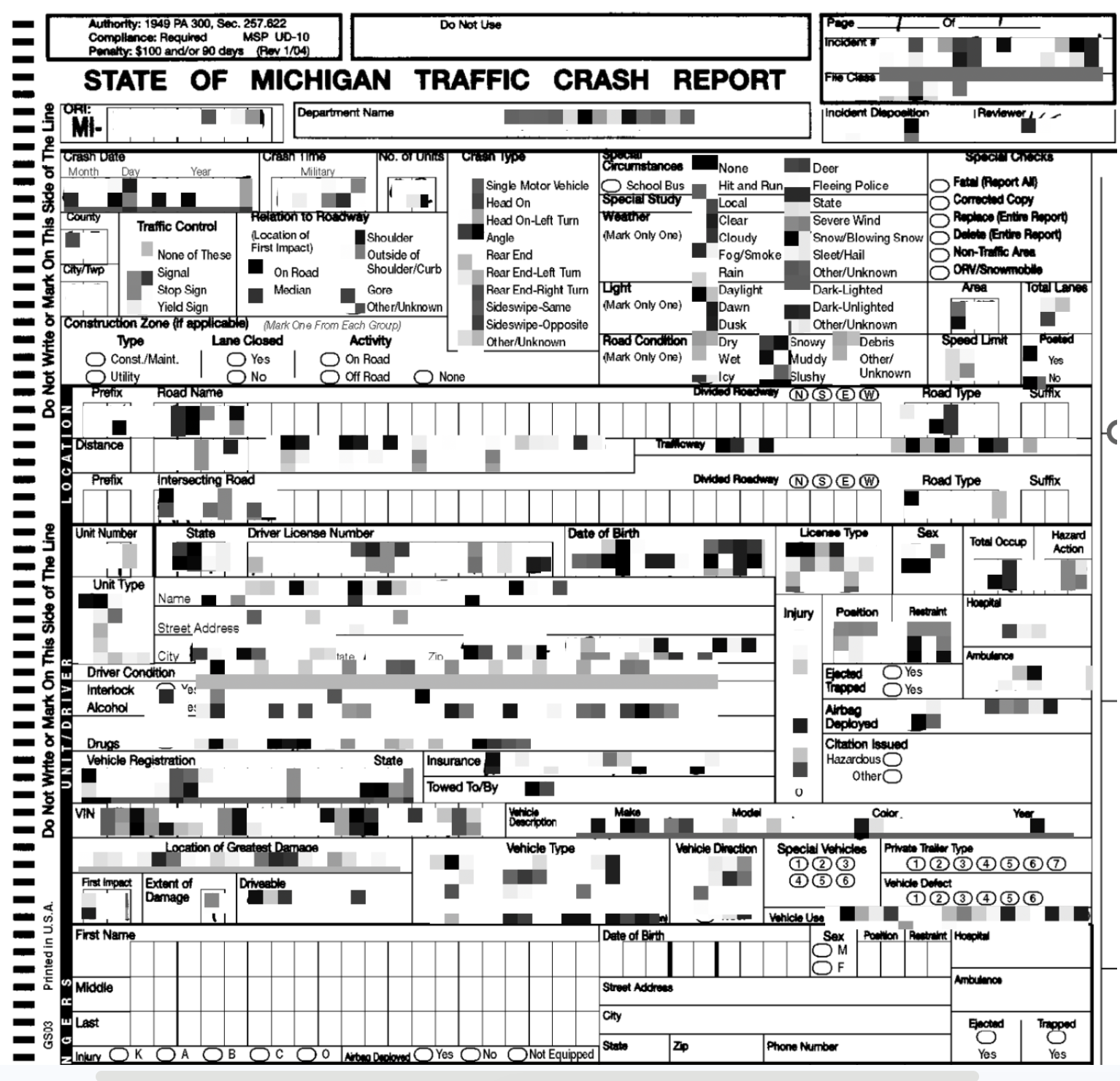
(The downloadable UD-10 crash report PDF opened from the crash flyout link in MSP’s Crash Query instance. Note: This image has been blurred for use in this document)
Users are able to seamlessly access the crash report for further crash analysis.
Keeping these links embedded in the crash flyout creates a seamless experience for users. Analysts can move from high-level crash data to original source material with a single click. Having this additional crash context readily available supports deeper analysis and reduces the need to switch between multiple systems.